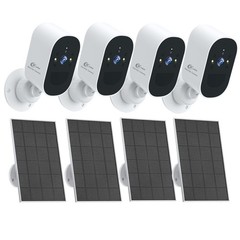




ZOSI 4K 8CH NVR PoE Security Camera System Color Night Vision Two Way Audio 2TB
Specifications
| Return Shipping Will Be Paid By | Seller |
| All Returns Accepted | Returns Accepted |
| Item Must Be Returned Within | 30 Days |
| Refund Will Be Given As | Money Back |
| Power Source | Wall Plug-In |
| Items Included | 5MP POE Cameras |
| Surveillance NVR Feature 3 | Up to 4K (3840*2160) |
| IR Night Vision | Up to 100ft/30m |
| Features | Two-Way Audio |
| Storage Capacity | 2TB |
| Camera Connectivity | IP/Network - Wired |
| Camera Resolution | 2952*1944 |
| Surveillance Technology | IP/Network |
| Number Of Cameras Included | 4/8 |
| Brand | ZOSI |
| Type | Complete System |
| Camera Type | Bullet & PT camera |
| Maximum Resolution | 3840*2160 |
| Connectivity | Ethernet Cable |
| NVR Features | H.265+, Smart Search |
| Smart Home Protocol | Infrared |
| Location | Indoor/Outdoor |
| C296 Camera Feature2 | Auto-Patrol |
| C296 Camera Feature4 | DIY Voice Alerts |
| Display Technology | LCD |
| Smart Home Compatibility | ZOSI |
| Operating Sound Rating | 60dB |
| MPN | Does not apply |
| Unit Type | Unit |
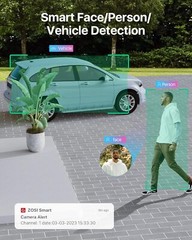
🔥 NOTE🔥 :1. Purchase a POE Kit or Wireless Kit and get a 5MP POE Camera C1825Y for an additional $10. Click on this link to pay for C1825Y. 2. A set order can only be purchased once. Read Before Buy: The default setting of the NVR is 1024 x 768. AI Human Lock and Track Achieve wider coverage and greater detail by utilizing automatic tracking of moving targets. Zero Blind Spots with All-Round Coverage Specify spots of interest for automatic cruising or patrolling with this smart camera. 3K Starlight Night Vision:Top-Notch Day & Night Surveillance Capture clear and detailed footage even in low-light conditions. Strong Deterrence Against Unwanted Activity. Upon detecting attempted intrusions, spotlights and a siren trigger automatically to prevent crime. Two-way Audio for Communication from Anywhere. Utilize clear two-way audio to directly communicate with anyone who enters your property. Monitor in Real-time from Anywhere Access live view of your home remotely on mobile devices with free Zosi Smart App/AVSS Client. One Cable for All Functions Eliminate messy cables with a single Ethernet cable that transmits power, data, and sound. Expand to 16-Channel System Expand your camera system to a 16-camera kit by connecting a PoE switch (not included) for improved property coverage. Secure Storage and Management The pre-installed 2TB HDD, expandable up to 8TB, allows for 24/7 simultaneous video and audio recording of all connected cameras. Easy Playback with Filters Easily filter videos by person, vehicle, face, abnormal sound category and quickly find key moments with highlighted lines on the timeline. Save More than 50% Storage Compared with H.264 coding, advanced H.265+ saves about 50% bandwidth and storage for longer recording time and a better viewing experience. Monitor Specified Areas Reduce unnecessary false alarms and focus on what matters by customizing the activity zone. Reliable in All Environments Thanks to its sturdy construction and weather-sealing, this camera is capable of providing reliable surveillance in a variety of environments. Seamless Coverage for Enhanced Security This comprehensive security system ensures an uninterrupted view with complete coverage of every corner. Q&A Question 1: Can I add more cameras to this system? Yes. You can add more (only ZOSI) 8MP, 5MP, or 2MP POE Bullet or Dome cameras. But the total number of cameras connected to the NVR should not exceed 8. Noted: This PoE NVR only supports ZOSI WiFi Camera with a particular model (Ethernet Cable Connection), if you want to add a wifi camera to this NVR, please contact customer support first. Question 2: How to get the 4K 8.0MP/5.0MP resolution: (1) Please make sure that your TV monitor is 4K/5MP or better than 4K/5MP resolution, and connect the NVR to your TV monitor. (2) Setup the system, and go to Main Menu- Set up-Basic to change the "Video Output" to "3840 * 2160"(or 2952*1944) manually. Question 3: Why can't I hear audio when watching live on NVR? 1. The NVR can transmit audio only when the monitor/TV is connected via HDMI cable, otherwise the monitor/TV will have no sound output. 2. Click the right mouse button -Go to Main Menu- Set up - Click the audio, you can adjust the volume and select the channel to play the audio. Noted: The quality of the image is related to where you install this camera. 1. Better to install cameras in a position with a wide field of vision, and the best outdoor installation height is 4-8 meters. 2. The direction of the lens should avoid the angle facing the light source as much as possible. 3. The installation environment should avoid a high dust environment as much as possible. On Mar 13, 2023 at 05:40:16 PDT, seller added the following information:
Related Items