





Ewelink WiFi RF433 Wireless Smart Remote 1 channel Switch Module Timer For Alexa
Specifications
| Return Shipping Will Be Paid By | Buyer |
| All Returns Accepted | Returns Accepted |
| Item Must Be Returned Within | 30 Days |
| Refund Will Be Given As | Money Back |
| Compatible Brand | for garage door |
| Connection Split/Duplication | 1:1 (None) |
| Year Manufactured | 2023 |
| Compatible Product | EweLink |
| Smart Home Compatibility | Amazon Alexa |
| Brand | Unbranded |
| Audio/Video Outputs | USB 5V / AC DC 7V-32V |
| Type | wifi switch module |
| Unit Type | Unit |
| Manufacturer Warranty | 3 Months |
| Connectivity | Wi-Fi |
| Features | RF wifi switch |
| Country/Region Of Manufacture | China |
| Smart Home Protocol | Wi-Fi |
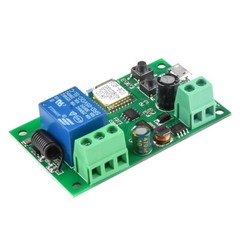
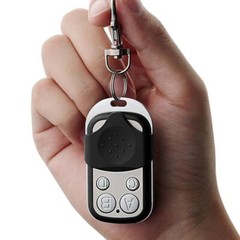
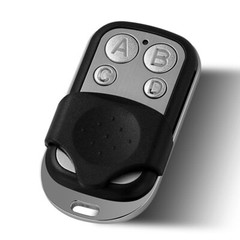
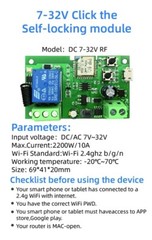
Features:Max.Current: 2200W /10Awi-Fi Standard: Wi-Fi 2.4ghz b/g/nworking temperature: -20°C~70°CInput voltage: 7-32V AC DC or 5V USBOutput voltage: AC85-250V/10A or DC 0-30V/10ARF remote control: 433mhz EV1527 remote controlThis remote control can only work with our receiverSupport EWelink WIFI ControlYou can control the connectted home appliance in EWELINK APP anywhere and anytime.Such as light, electric kettle, electric rice cooker, electric curtain, Door system etc.Support 433mhz RF EV1527 remote controlYou can control your household appliances through our remote control, Such as light, electric kettle, electric rice cooker, electric curtain, Door system etcMobile Phone ControlWhen you go outside or at home,you could control the device in your smart phone by 2G/3G/4G Mobile Network or WIFI.(Note:The router need to online.The WIFI module need to keep a close distance with the router and the wifi module need to online in EWELINK APP)Voice ControlCompatible with Alexa and Google Assistant, you can use the voice control to turn on/off the connectted home appliances .Share ControlOne device can control by Multiple phones,you can share the wifi module with your family.Group Controlone phone can control Multiple smart device.You can add the wifi module and other smart device in a group,and then you can turn on/off all smart device at the same time.Timing FunctionSet a schedule in the app to turn on and off your lights according to your own living habitsAbout Working Mode:Momentary: Press the button, the relay connects, release the remote button, the relay disconnects. Toggle: Press once the button, the relay connects, press the remote button twice, the relay disconnects.Connect to EWelink APP/RF remote control programming
Related Items